January 14, 2026
Introducing the Community Generator
Today, we're excited to introduce the Community Generator. It’s a simple tool that lets anyone create their own Community directly from the Fedi app.
On Fedi, Communities are the social layer where people come together—your space for connection, communication, and collaboration. In Communities, you can:
Chat with members, run polls, share photos, GIFs, and files
Receive community announcements
Access tools curated specifically for your community
Build smaller, focused conversations in groups within your larger community
How the Community Generator Works
Community is at the core of everything that Fedi does. Now we have an easy way for users to build and manage their communities.
Creating your Community is simple:
Step 1: Open the Community Generator
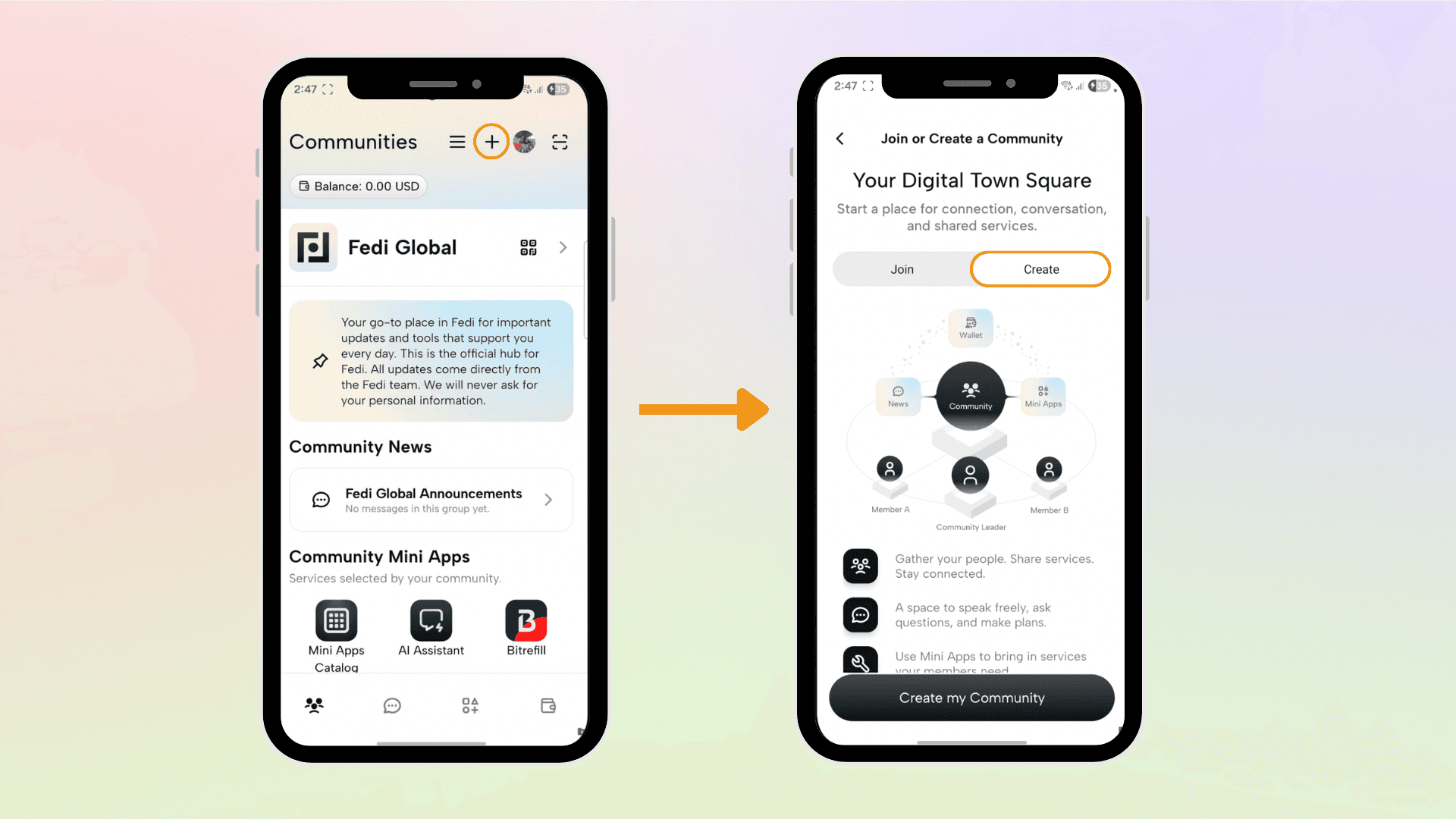
Click on the plus sign (+) on the top right of the home page and click “Create”. This will direct you to the Community Generator tool.
Step 2: Customize Your Space
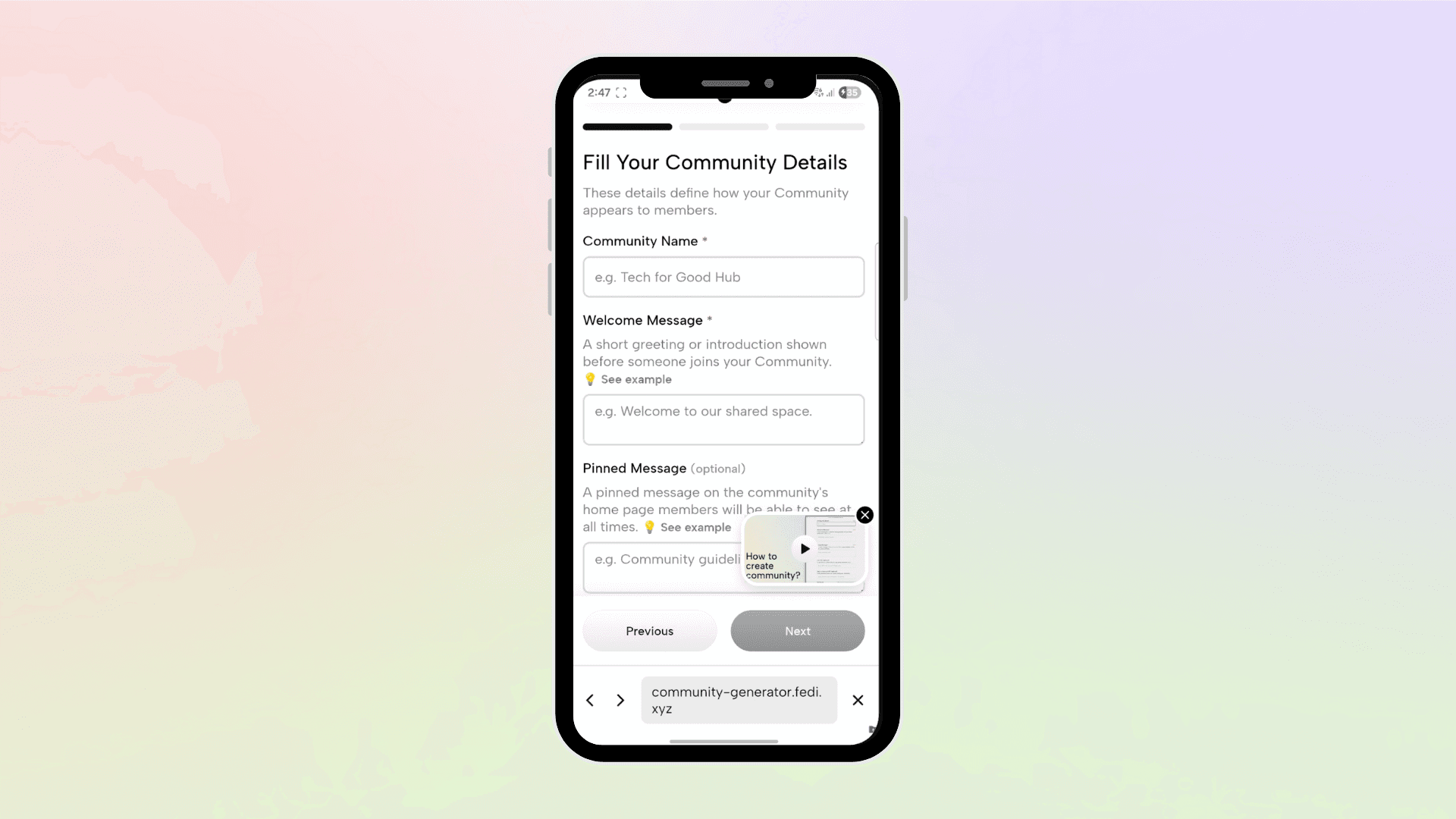
Fill out your Community’s details: the Community's name, welcome message, pinned message, and upload the logo for your Community. You also have the option to add the link to the terms of service for your Community.
Step 3: Add the Community Mini Apps
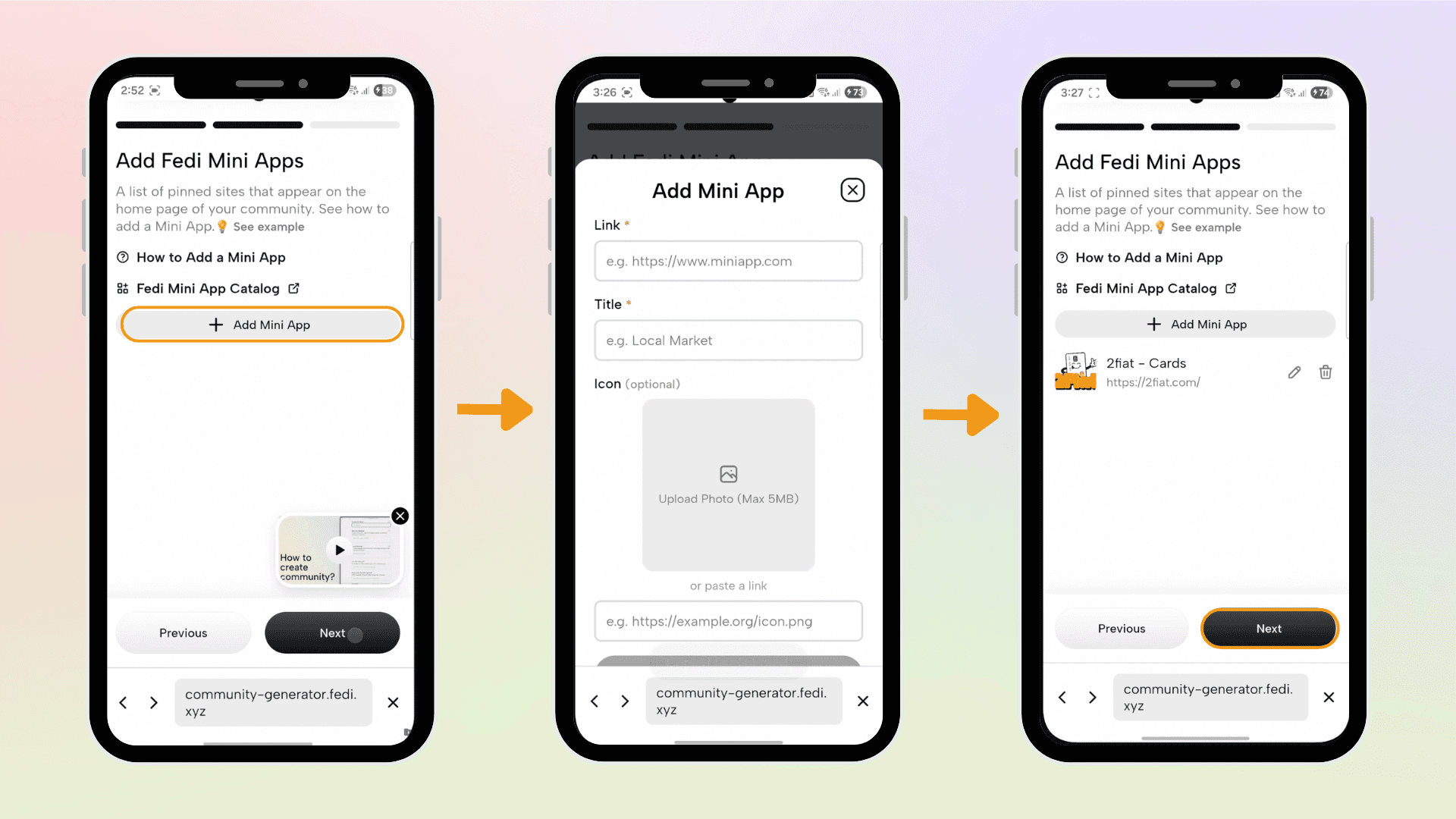
Click “Next” to further personalize your Community with Mini Apps that you know your Community members will need.
Mini Apps appear on the home page of your Community. These could be Mini Apps from our Mini Apps Catalog or any website that will be helpful to your community, such as meetup calendars, YouTube playlists, or links to other resources.
Click “Add Mini Apps” to copy and paste the link to the Mini App or website of your choice, then click “Next” to proceed.
Step 4: Add Group Chats for Your Community
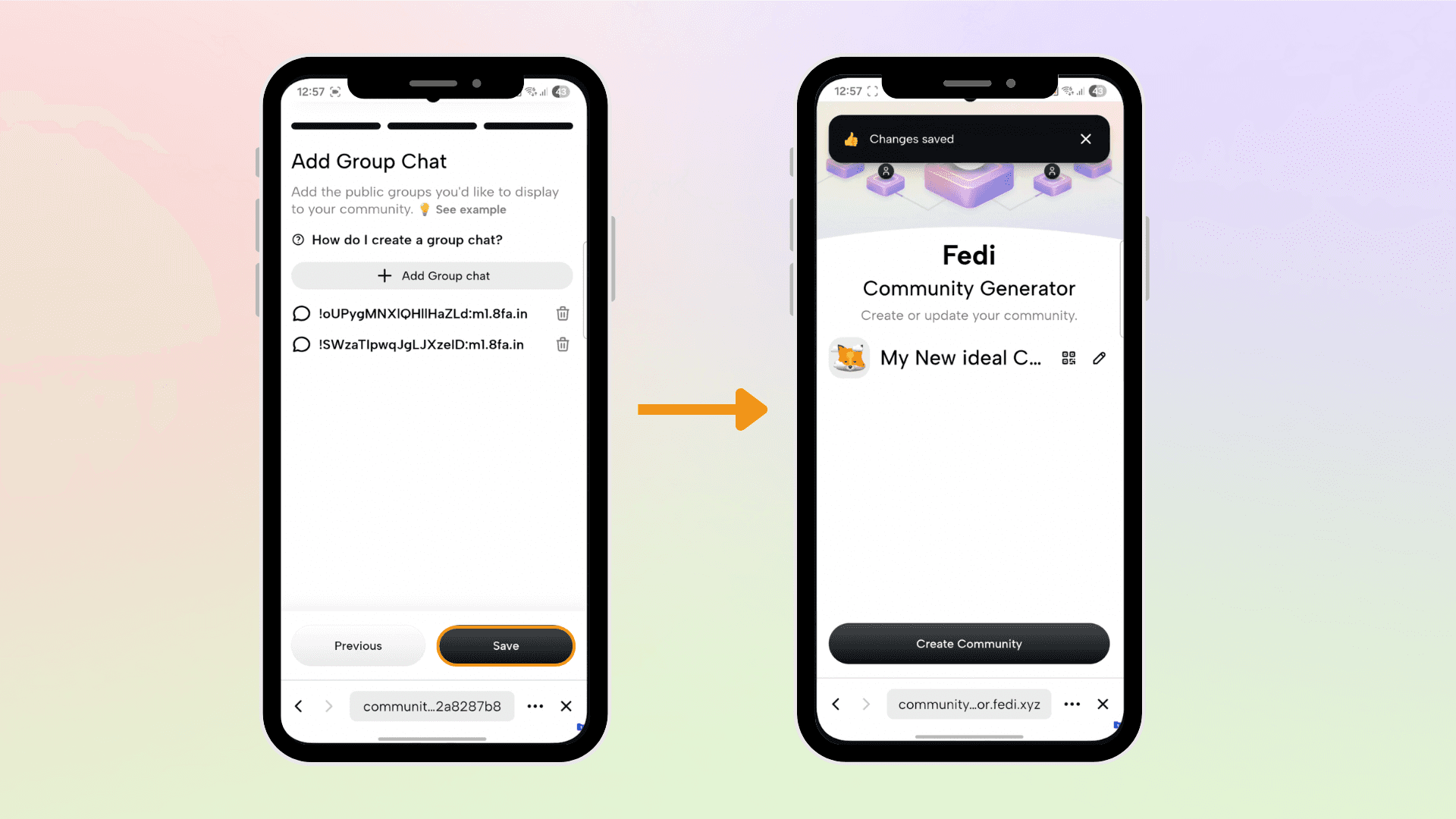
Click “Add group chat” to connect your Community to a public group chat or create a public group chat where members of your community can communicate with each other or where you can send announcements.
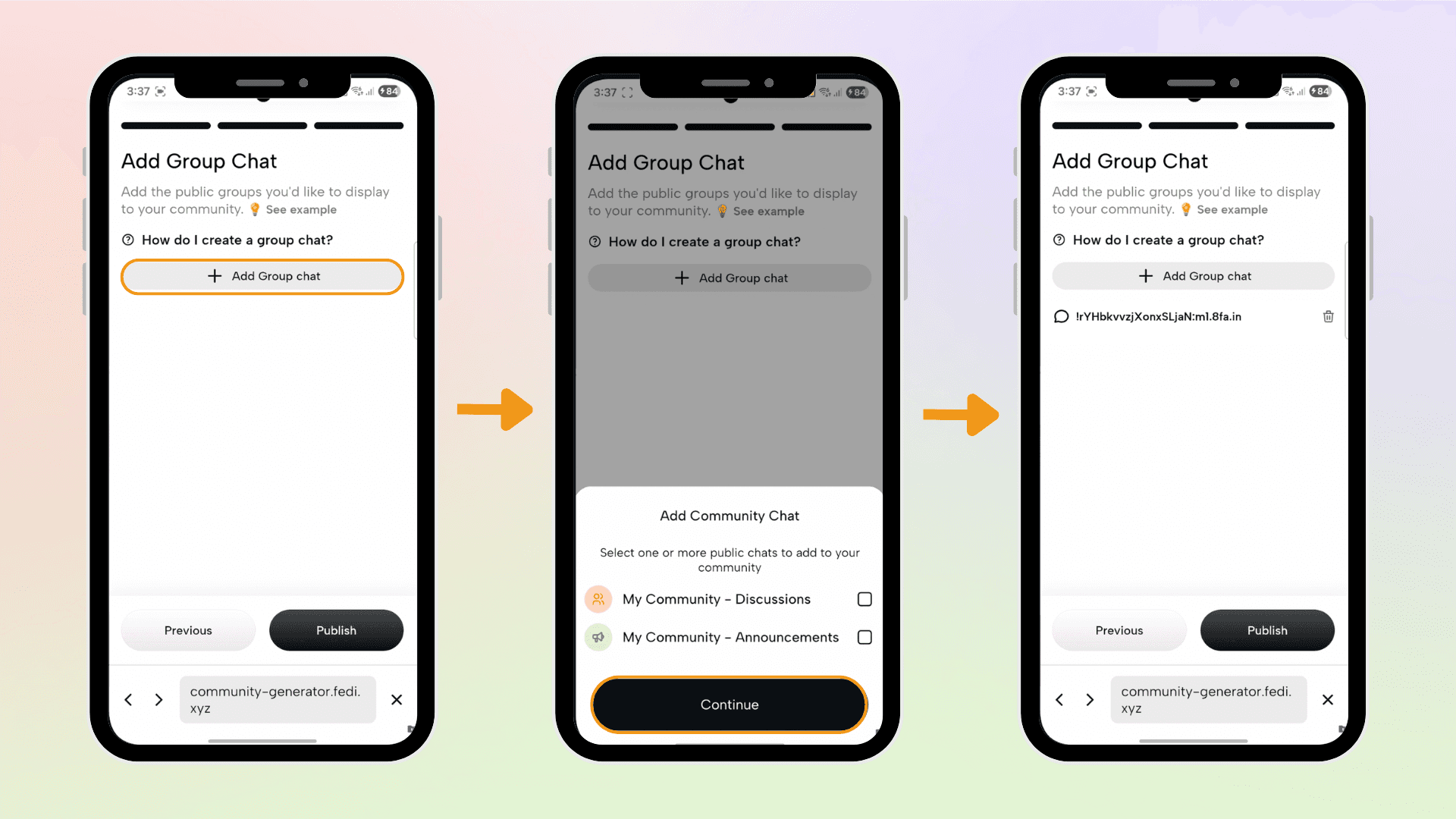
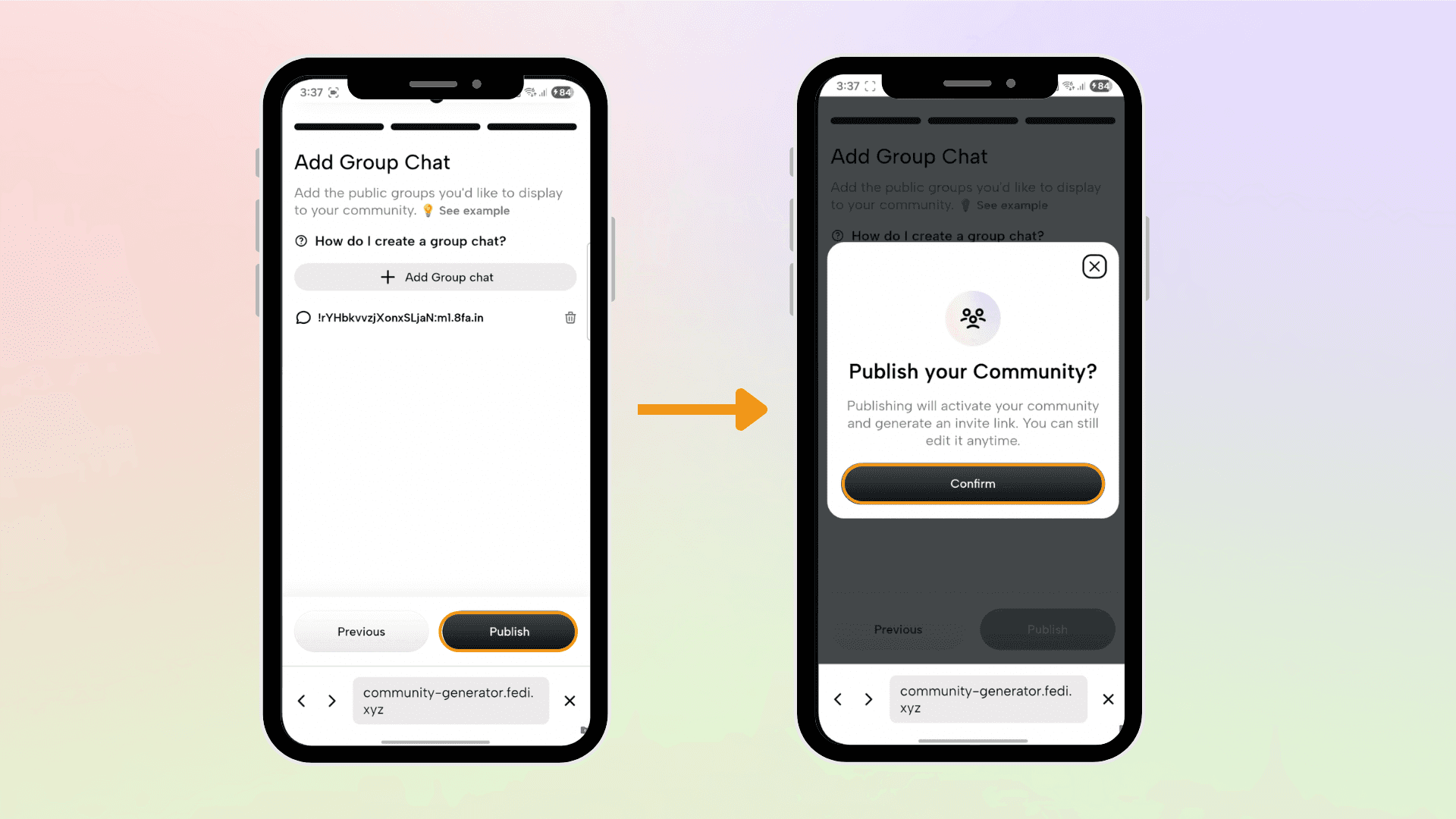
Step 5: Publish Your Community
Click on “Publish” and your Community is live! Share your Community invite code with others and start building your space.
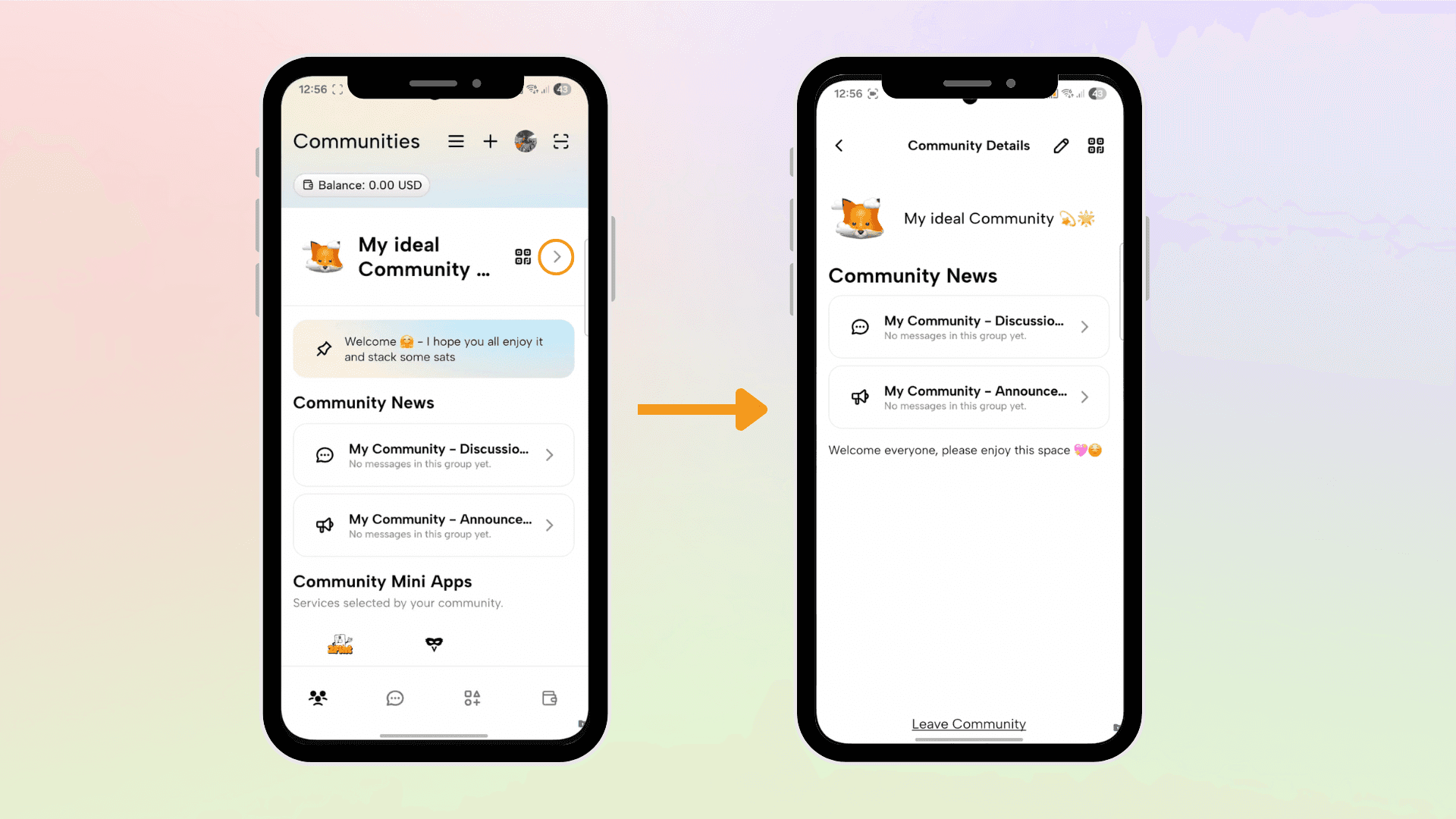
Edit Your Community Easily
The Community Generator makes it easy for you to edit your Community directly on the Fedi app.
Step 1: On your Community, click on the arrow pointing to the right to open the Community Details page.
Step 2: Click on the pencil icon to edit your Community.
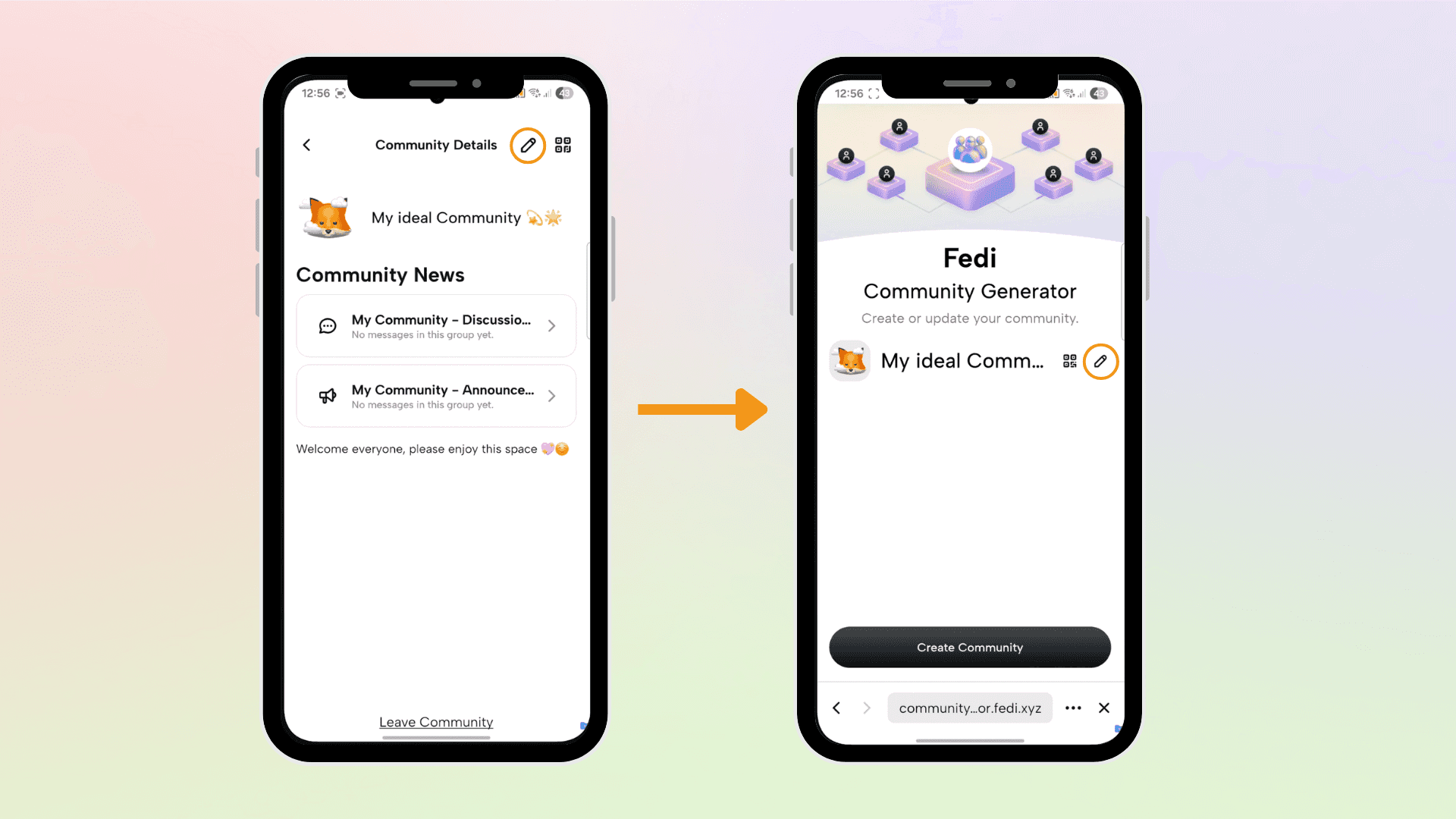
Step 3: Edit the areas you’d like to edit, like your Community details, and add or remove Mini Apps and group chats. Once you’ve made your edits, click on Publish to see your updated Community.
Communities in Action
We’ve seen people using Communities in different parts of the globe to connect, like:
Bitcoin meetup organizers or Bitcoin educators creating onboarding hubs where newcomers learn and access resources
Circular economy leaders keeping members informed about local businesses that accept bitcoin and community activities
Savings groups building a community of people who want to save together and learn more about financial freedom
These are just a few examples. Discover more real-world use cases.
From Community to Federation
Communities can also recommend Federations they trust. You can use any Federation wallet within any Community, or recommend a Federation to your Community. This means that your social spaces (Community) and wallet (Federation) can work together seamlessly while staying clearly separated.
As your Community grows and trust deepens, you might decide to run your own Federation. And when you're ready, tools like the G-Bot Federation Setup Service make it easy to create your Federation.
Each Community is a door that someone walks through to discover what's possible with Bitcoin, privacy, and community-powered finance.
Download the Fedi app to start creating your Community.
